The File Menu (also known as the Backstage Menu) will appear upon opening the program. To access it again once logged in, click the File button in the upper-left corner of the ribbon when logged into Sampling Planning Module (SPM). The File Menu allows you to access different actions/settings/options for the SPM Windows Application.
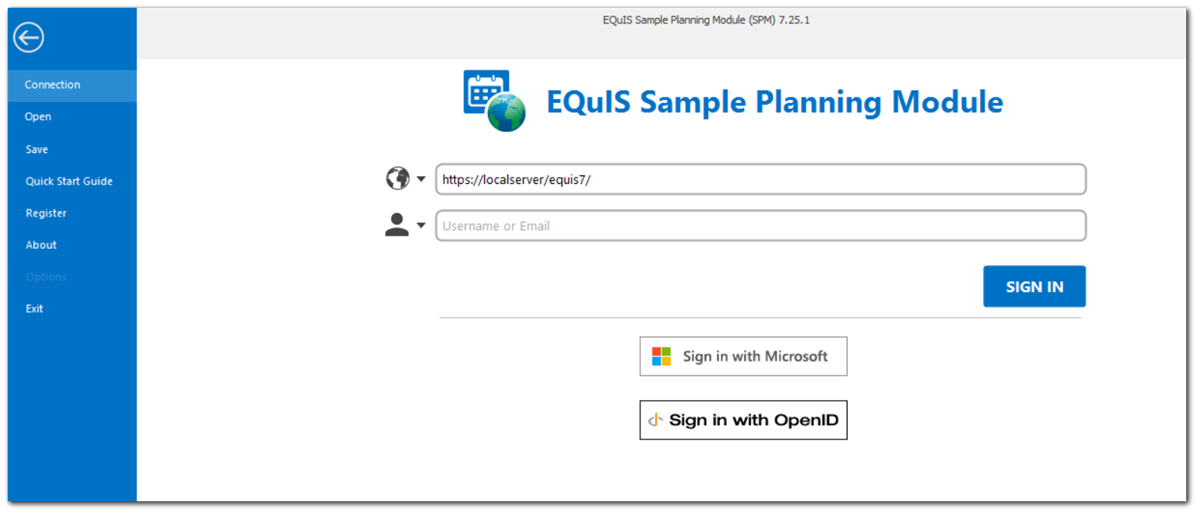
•Connection: Allows you to disconnect, set connection strings for a current database, add or update databases, and connect to another database or facility.
•Open: Allows you to open a previously saved .EQuIS connection file.
•Save: Allows you to save changes to the current .EQuIS connection file. This option is available once logged into a database and a facility.
•Quick Start Guide: launches the SPM documentation.
•Register: allows you to register different components of the EQuIS suite and also renew maintenance.
•About: Displays the version of SPM and the versions of the different *.dlls associated with the installation of SPM.
•Options: Gives the user several customization options including general program defaults, appearance, behavior, export options, and working directories.
•Exit: Exits the SPM Windows Application.