The intelligent bar is a real time log of EDGE activity. Information regarding EDGE and the current open tab are displayed. It is located in the lower section of the mian application screen.
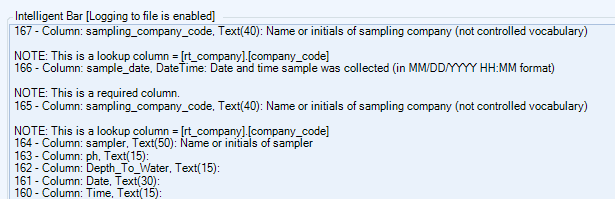
EDGE application messages
•Any problems detected during EDGE start up
•Currently used format
•Currently opened EDD
•EDD saving status
•EDD opening status (duration, any possible errors)
•Change in location filter
•Information about the selected location
EDGE data tab messages
•Data errors detected for edited values
•Data type and field EDP information about edited values
Options
•The intelligent bar can be hidden using the Application Options.
•The intelligent bar can be re-sized vertically by dragging on its top edge or horizontally by dragging on its left edge.
Note: EDGE will persist with the size of the intelligent bar the next time the application is run. |
Intelligent Bar Logs
EDGE can be configured to create a log file of the Intelligent Bar messages.
1.Open EDGE Options
2.In the Logging section, set Intelligent Bar to True.

The Intelligent Bar will be updated to show [Logging to file is enabled].
A unique file will be created in the main EDGE folder (i.e. \EDGE\IntelligentBar). The logging file will be saved with a date stamp: YYYY-MM-DD HH.mm.ss.txt